Plan consumption and deliveries
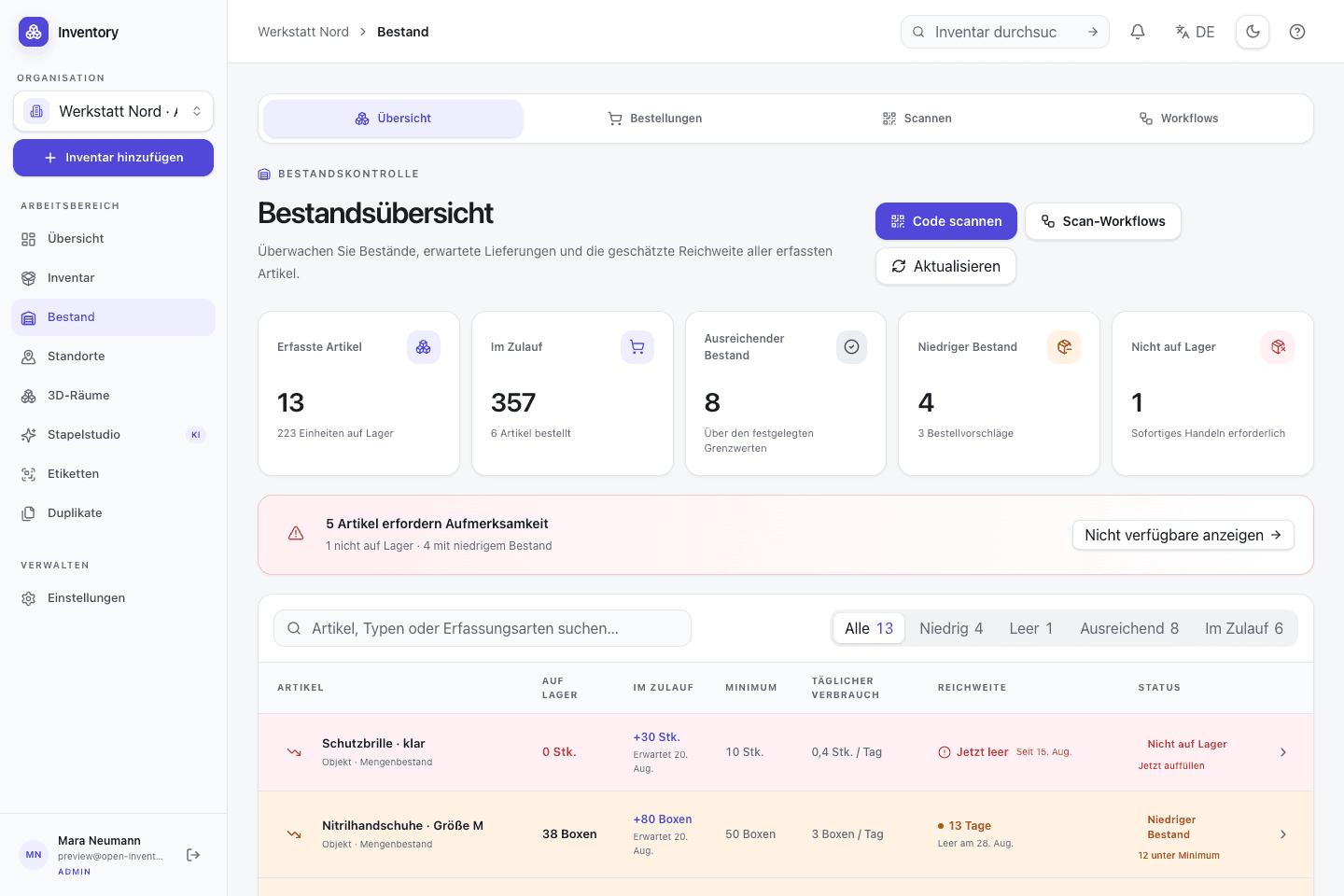
Compare stock history and forecasts. Consumption, lead times and outstanding receipts inform suggested reorder dates and quantities. You still decide when to place an order.
03 · Store and move
Track loans, consumption and deliveries. Stock forecasts inform replenishment; bill-of-materials analysis shows component needs and costs before production.
In everyday use
Screws need a quantity; a laptop needs an identity. Open Inventory supports both tracking modes and writes each change as a dated movement. Current availability can therefore be reconciled with the events that produced it.
Features in detail
Compare stock history and forecasts. Consumption, lead times and outstanding receipts inform suggested reorder dates and quantities. You still decide when to place an order.
Review production quantities, variants, component needs, costs and dependencies before building. Missing prices remain visibly unknown.
Change a serialized unit’s code and print its own label. The unit ID and QR link stay the same.
Track identical parts as a quantity or represent every physical unit with a UUID, readable code, state, location, metadata and acquisition date.
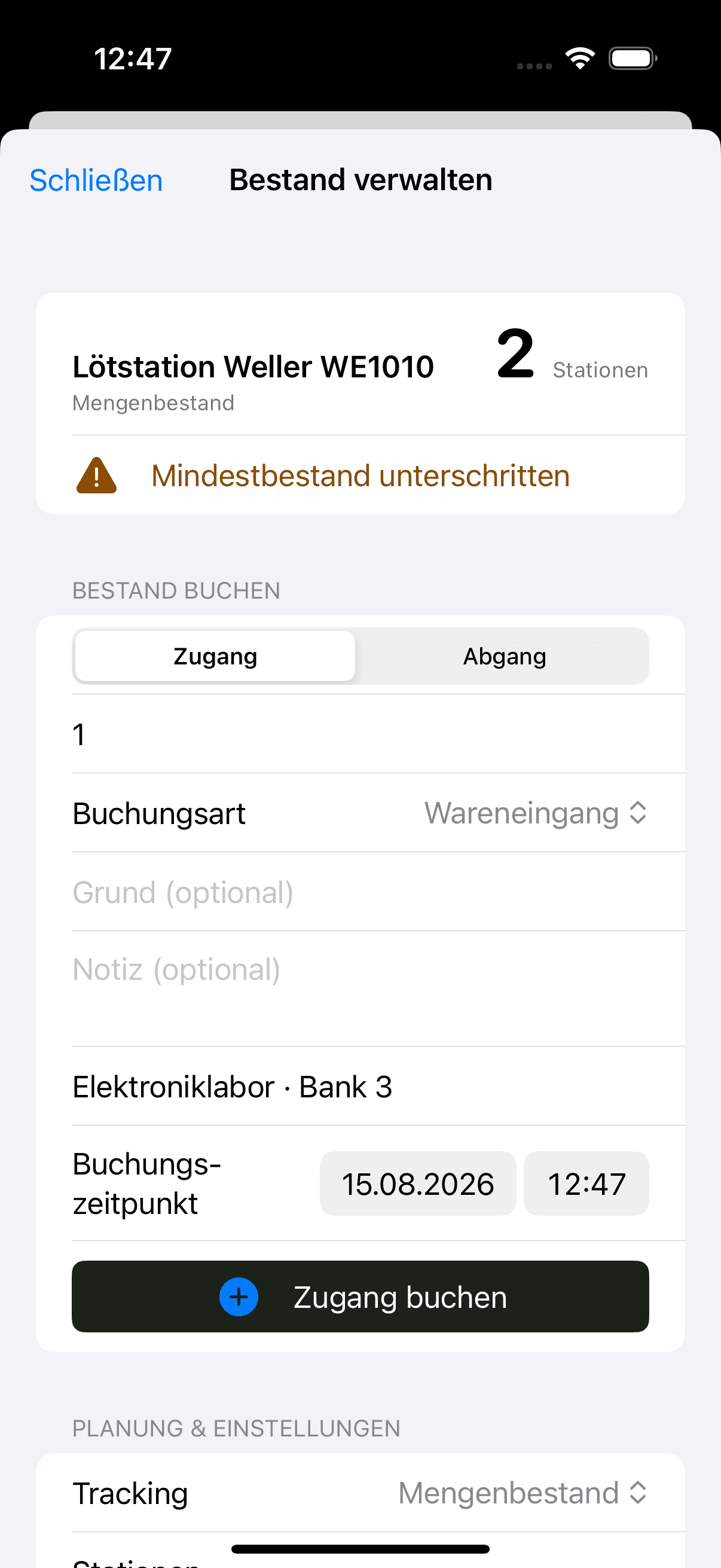
Receipts, issues, corrections, and transfers are dated and recorded. Organization policy decides whether negative stock is allowed; corrections remain visible in the history.
Any suitable inventory record can be a structured stock location. Global quantity and distribution across rooms, cabinets or vehicles remain visible together.
Schedule recurring counts, process due checks and reconcile quantities by location. Serialized units retain individual traceability.
Bundle several quantities or serialized units per contact. Issue, due date, partial returns, and cancellation remain traceable for every line.
Minimum quantity, reorder amount, lead time and consumption rate produce warnings, an estimated stock-out date and a documented reorder suggestion.
Create multi-line purchase and sales orders with contacts, prices, and partial quantities. Receipts and issues are applied through controlled stock movements.
Plan future demand, approve or reject requests, and reserve stock until fulfilment. The calendar exposes upcoming allocations before approval.
Store prices on movements, review inventory and material costs, and convert purchased rolls, boxes, or canisters into the corresponding base unit.
Define assembly components and consume them atomically during a build: either the complete operation succeeds or none of it is applied.
Step by step
A movement changes more than a displayed number. It records the operation, location and recipient context used to derive the new state.
Use bulk quantities for interchangeable parts and serialized units for devices with their own identity.
Distribute stock across rooms, cabinets or vehicles while retaining the global quantity and availability view.
Receipt, issue, transfer, lending and return operations are validated and appended to the history.
Minimum quantity, consumption and lead time expose low stock and provide inputs for reorder planning.
On site, too
The iPhone scans a code where a receipt, issue or return happens. The native app uses the same server-side movement history as the web application.