Camera-first batch capture
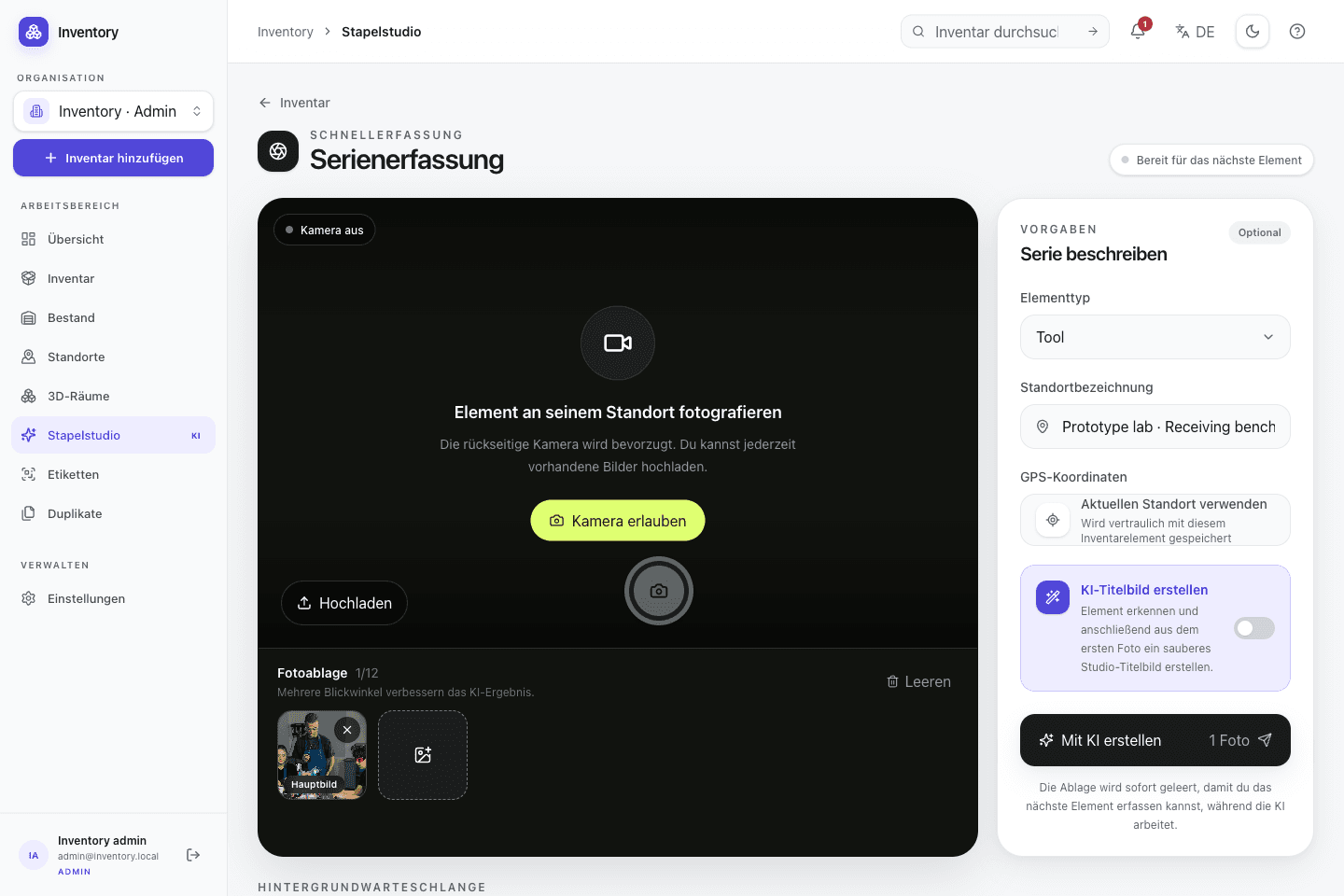
Capture several objects in sequence. Persistent jobs continue processing earlier records while the camera is available for the next object.
01 · Capture
Photograph equipment and supplies where you find them. Enter the details yourself or review optional AI suggestions before accepting them.
In everyday use
Open Inventory separates the short interaction at the object from slower server-side processing. Type, location and optional processing settings can be set once for a batch. Resource creation, uploads, analysis and cover generation then run as separate jobs with their own states.
Features in detail
Capture several objects in sequence. Persistent jobs continue processing earlier records while the camera is available for the next object.
Optional OpenAI or compatible image analysis proposes a name, description, type, tags, alt text and confidence value. The draft is editable before it is accepted.
OpenAI or Google can generate a square cover from a source photo. The generated asset is stored separately and the original photo remains available.
Optional photo counting marks detected instances and returns a confidence value. The quantity can be corrected before a stock movement is written.
JPG, PNG, WebP, AVIF, HEIC, MP4, MOV, WebM, PDF and USDZ can be ordered on a record. Images are optimized client-side and EXIF coordinates can be imported.
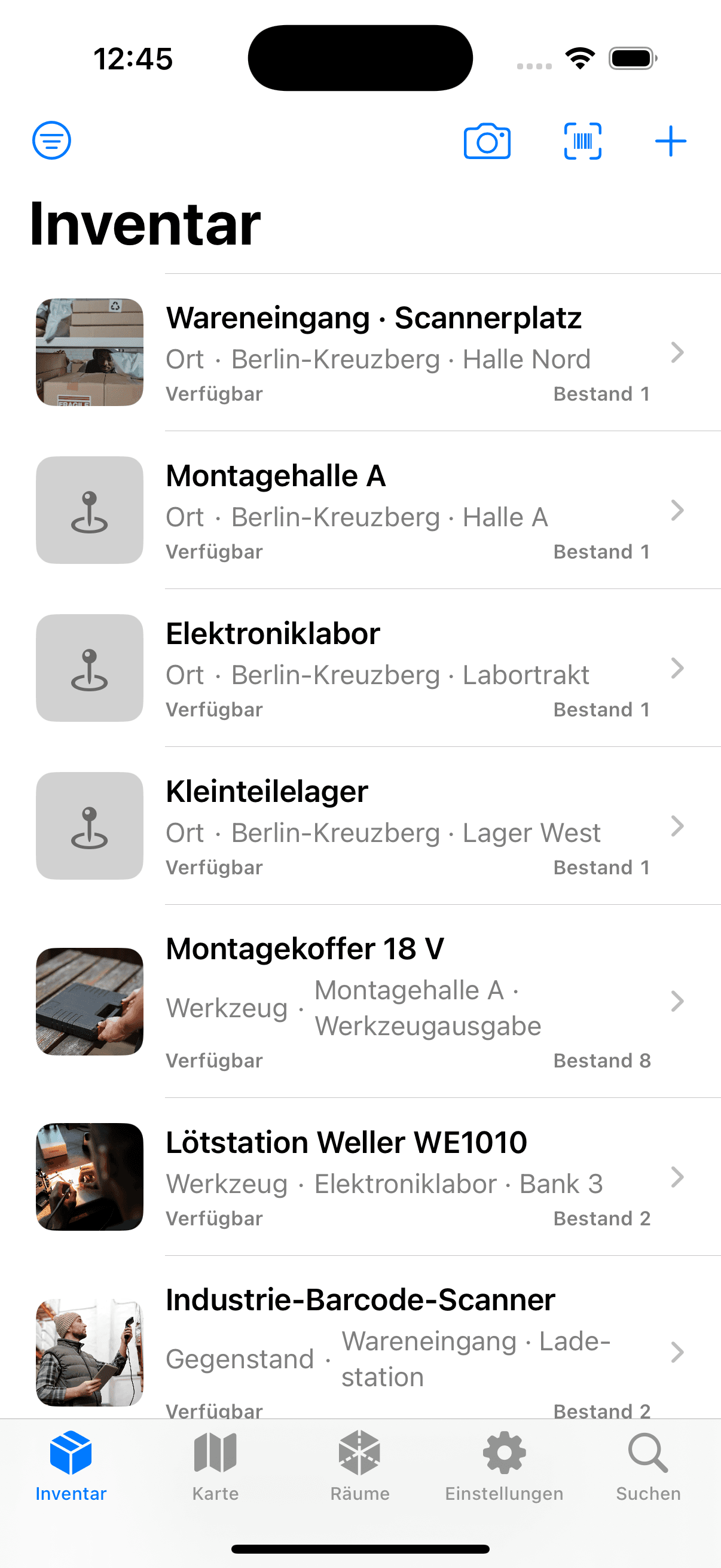
The open SwiftUI app captures photos, scans codes and persists upload stages. Stable operation IDs prevent defined retries from creating duplicate records.
Estimate quantities from several photos. The optional 3D mode adds a rotatable model with manual annotations and needs a dedicated GPU runtime. Accuracy is not validated; stock booking remains a separate confirmation.
Step by step
Shared context is set before the series. Each object then moves through explicit stages that can fail or be retried independently.
Choose the type, location and optional analysis or cover settings once for the series.
Capture a primary image and, when useful, additional views or a separate nameplate photo.
Resource creation, media uploads, analysis and cover generation expose separate job states. Defined retries use stable idempotency keys.
Check name, type, tags, quantity, tracking mode and media before relying on the record.
On site, too
The SwiftUI app takes photos at the object and persists each operation in an Application Support outbox before upload. It connects to an Open Inventory instance selected by the operator.